
You Can’t Afford a Fiber Team That’s Still Figuring Things Out

Your network is growing. New builds, expanded coverage, more infrastructure to manage than you had two years ago. And with that growth comes hiring, which means you have people on your team right now who are learning what fiber network management actually means while they’re supposed to be doing it. That is not a knock […]
2024 Year-End Review

By Bruce Smith, CEO of GEOGRAPH Each year, I like to look back at what was accomplished throughout the year. That also includes looking at where we may have fallen short as well. Each year at this time, GEOGRAPH starts planning for the upcoming year. To do that, we have to look back at the […]
May 21-22: CrescentLink for ArcGIS Pro Workshop
Date: May 21-22Time: 10 am – 5 pm EST Join Coy Potts, GEOGRAPH’s Senior GIS Analyst, and Nathan Cooley, GIS Analyst, for an interactive training webinar on CrescentLink® for Esri® ArcGIS® Pro or CrescentLink for ArcGIS Desktop. Coy and Nathan will review the fundamentals and best practices of Esri ArcGIS Pro or Esri ArcGIS Desktop, […]
February 19-20: CrescentLink for ArcGIS Pro Workshop
Date: Februrary 19-20Time: 10 am – 5 pm EST Join Coy Potts, GEOGRAPH’s Senior GIS Analyst, and Nathan Cooley, GIS Analyst, for an interactive training webinar on CrescentLink® for Esri® ArcGIS® Pro or CrescentLink for ArcGIS Desktop. Coy and Nathan will review the fundamentals and best practices of Esri ArcGIS Pro or Esri ArcGIS Desktop, […]
5 Steps to Upgrade From ArcMap to ArcGIS Pro

by Jasen Kintner, Director of Research & Development at GEOGRAPH If you have heard about Esri’s ArcMap end-of-life plans, and you are now ready to make the switch from ArcMap to ArcGIS Pro, here is a 5-step guide to get you upgraded. Don’t worry, we’ve got you covered with this step-by-step guide to ensure […]
The Future is Now: 6 Reasons Why Upgrading to Esri ArcGIS Pro is Essential
by Jasen Kintner, Director of Research & Development at GEOGRAPH We get it – change can be a bit intimidating, especially when it comes to the tools you rely on every day. But let’s talk about why upgrading to ArcGIS Pro isn’t just a good idea; it’s essential for your GIS future. 1. The End […]
New Simplified Software Versioning!
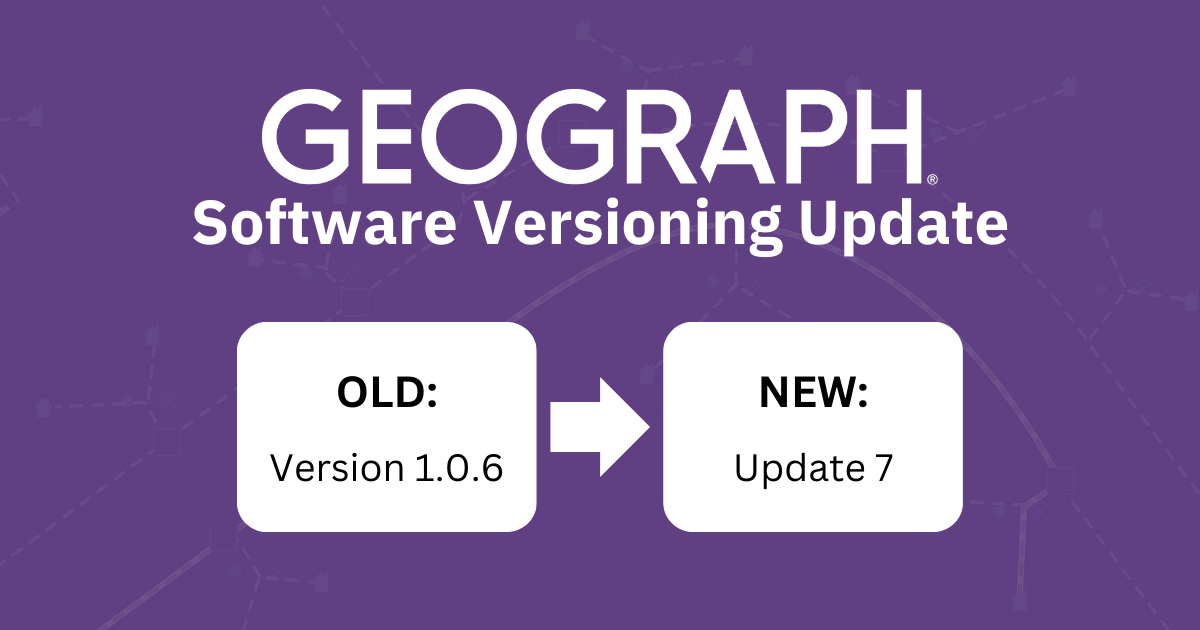
By Jasen Kintner, Director of Research & Development at GEOGRAPH We’ve got some exciting news to share! We’re changing how we number our software versions, moving from decimal places (like 1.0.6) to simple whole numbers (like Update 7). This might seem like a small change, but it’s designed to make your life easier and our […]
Closing the Broadband Digital Divide: A Public-Private Success Story

By Bruce Smith, CEO at GEOGRAPH Over the last few years, quality broadband services have become a top priority in the US. Currently, 51% of US homes have access to Fiber Optic Networks (Fierce Telecom) compared to just over 30% in 2020. This increase in broadband coverage can be attributed to many new players entering […]
Docking Tools in Custom Toolbar in CrescentLink for ArcGIS Pro
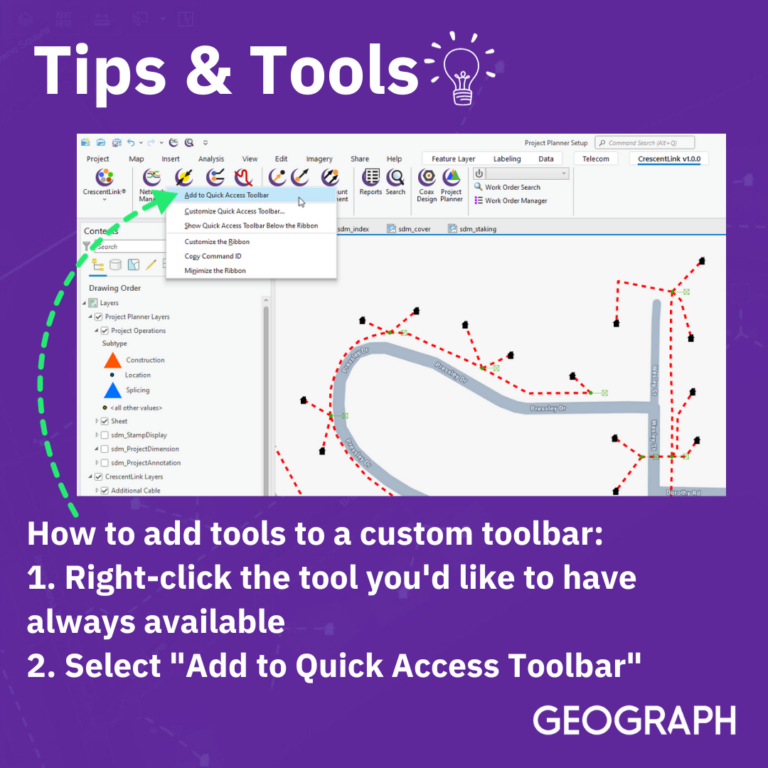
Simplify your workplace by creating a CrescentLink ribbon with the tool you use the most when building your network.
Update Project Cost by Importing Rate Sheets Using Project Planner
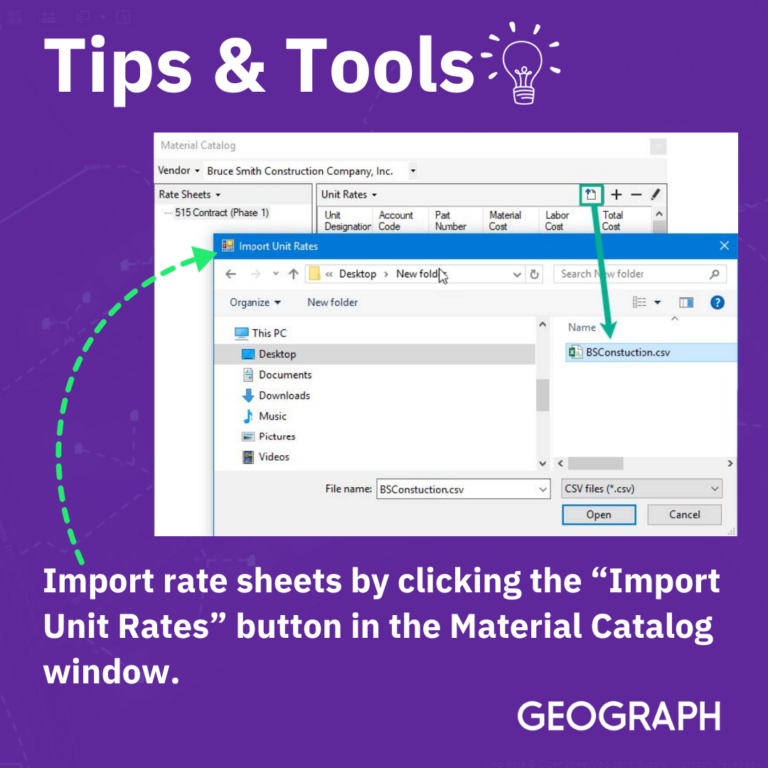
Another way to load rate sheet material-unit data is to import it directly from a vendor-provided rate sheet csv file. To import a file containing a vendor rate sheet, click the “Import Unit Rates” button in the Material Catalog window. This will open a dialog window that can be used to locate and import an […]
Easily Visualize Trace Results Using a DLR
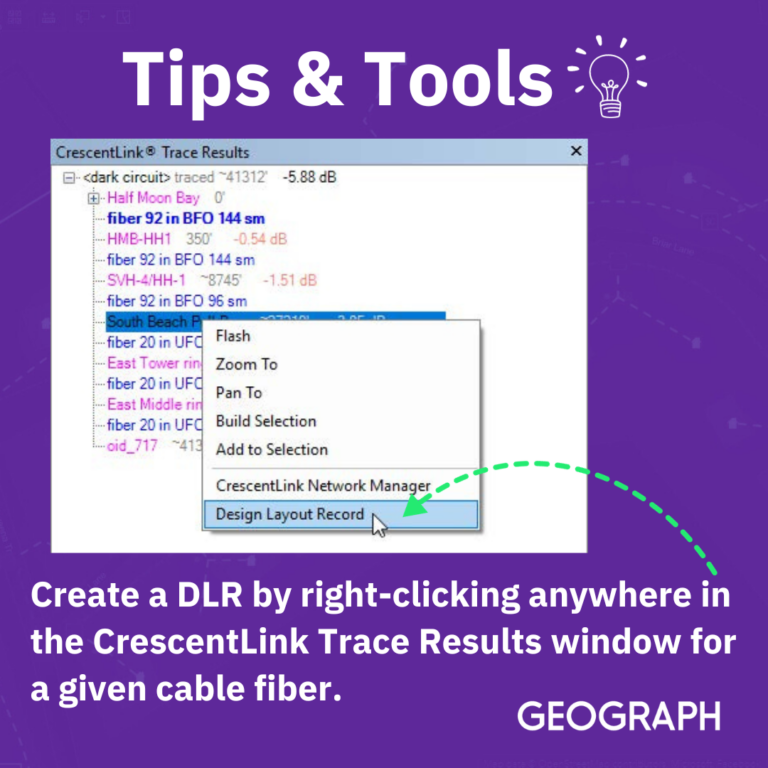
DLRs are graphical illustrations of Fiber, Copper, and Coaxial Cable Trace Results Report. The DLR for a selected fiber cable strand will display many details about the circuit(s) associated with it. If multiple fibers are selected, they will be represented with separate tabs within the window. The current light state of the circuit will be […]
Manage Trace Direction Using Origin Ports
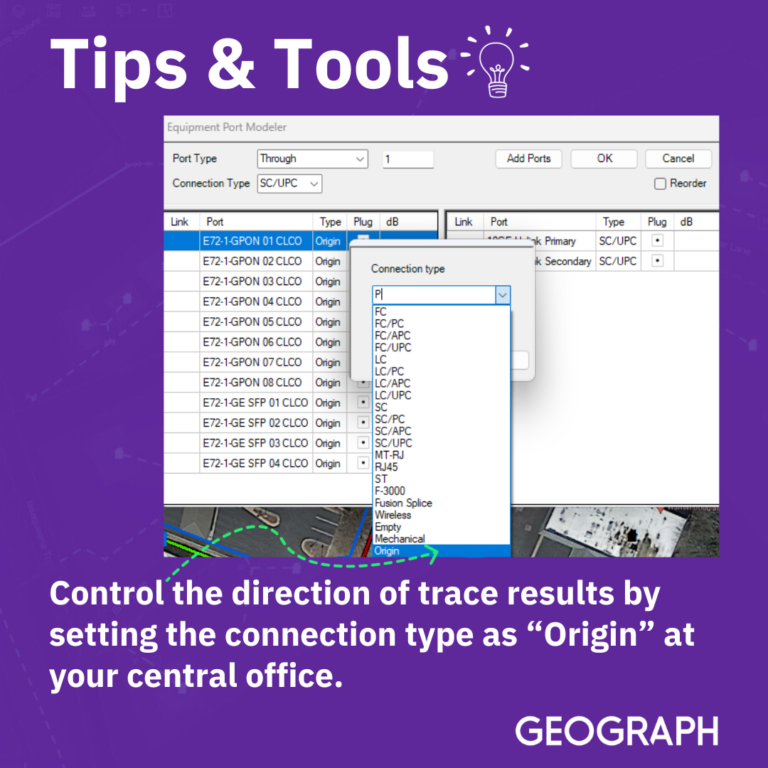
Text on image reads: Control the direction of trace results by setting the connection type as “Origin” at your central office.